

Previously, I had only used one basic Python script to fly my drone: take off, hover, and land.
My next goal was to understand how to control each axis of movement in a controlled way: pitch (tilting the drone forward and backward), roll (tilting the drone left and right), and yaw (rotating clockwise and counterclockwise about its vertical axis), before combining them into more complex flight paths.
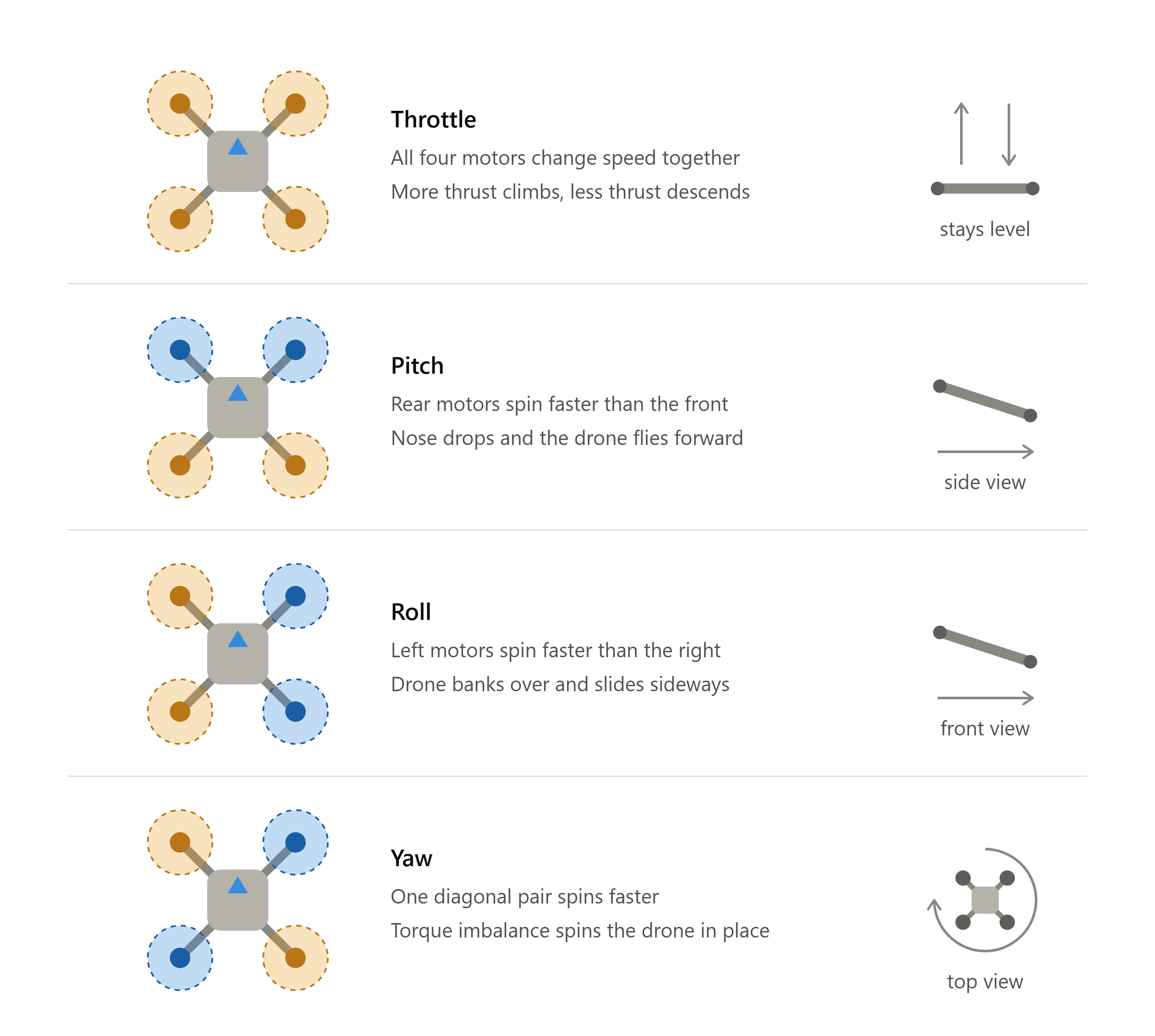
First, I started with pitch. To test it, I simply added a forward pitch maneuver to the first script. Once that worked reliably, I was ready to build on it with more complex movements.
With pitch working, I decided to move on to something a little more challenging by introducing roll. I expanded the pitch test so the drone flew in a square path and moved diagonally twice using both pitch and roll. This let me verify both roll and the drone’s ability to execute several movements together in a single mission.
The third axis of movement I focused on was yaw. To test it, I modified the first program so that the drone rotated to a heading of 180 degrees after takeoff. The program worked perfectly in simulation, so I loaded it onto the drone expecting similar results. However, after attempting to change its heading, it struggled to stay airborne and slowly descended back to the ground. I still haven’t determined the exact cause—stay tuned to find out.
It was my first reminder that simulation doesn’t always reflect what happens in the real world and that it is crucial to experiment on actual hardware. The simulator is great for developing and verifying code, but it can’t perfectly capture every behavior of the actual drone.